
Imagine you're three hours into a five-hour drive, heading to visit family for the holidays. Your daughter turns to you and asks, "Can I play Roblox on your work laptop?" The very laptop housing client files, sensitive financial data, and full access to your business. You're fatigued from packing, have three more hours to drive, and honestly, keeping her happy sounds like a relief right now. What could possibly go wrong?
Here's the catch: Holiday travel opens up security risks you typically don't encounter in your everyday routine. You're exhausted, distracted, connecting to unfamiliar WiFi networks, and blending family time with quick "work check-ins." Whether your journey is for business, leisure, or a blend of both, it's essential to protect your data without spoiling the festive spirit.
Essential 15-Minute Prep Before You Travel
Invest just 15 minutes before your trip to secure peace of mind:
Device Essentials:
- Install all pending security patches and updates
- Back up critical files securely to the cloud
- Enable automatic screen locking within two minutes
- Activate "Find My Device" features on all phones and laptops
- Fully charge portable power banks
- Pack your personal charging cables and adapters
Family Device Guidelines:
- Clarify which devices your kids are allowed to use and which are off-limits
- Provide a dedicated family iPad or secondary device for entertainment
- Set up separated user accounts on your laptop if kids must use it
Pro tip: If your children need screen time on the road, bring a tablet that is not linked to your work accounts. Investing $150 in a separate iPad is a small price to pay compared to the cost of a data breach.
Hotel WiFi: Don't Fall Into Common Safety Traps
Upon checking in, everyone quickly connects their devices—phones, tablets, laptops, gaming consoles—to the hotel WiFi. Your teenager streams Netflix, your spouse catches up on emails, and you're finalizing a proposal for tomorrow.
The problem? Hotel networks are public, shared spaces filled with hundreds of guests—some with bad intentions.
True story: A family connected to what they believed was their hotel's WiFi but was actually a fake hotspot set up by someone in the parking lot. For two full days, all their online activity, including passwords, credit card details, and emails, was intercepted.
Safeguard Yourself:
Always confirm the exact network name with hotel staff before connecting—never guess.
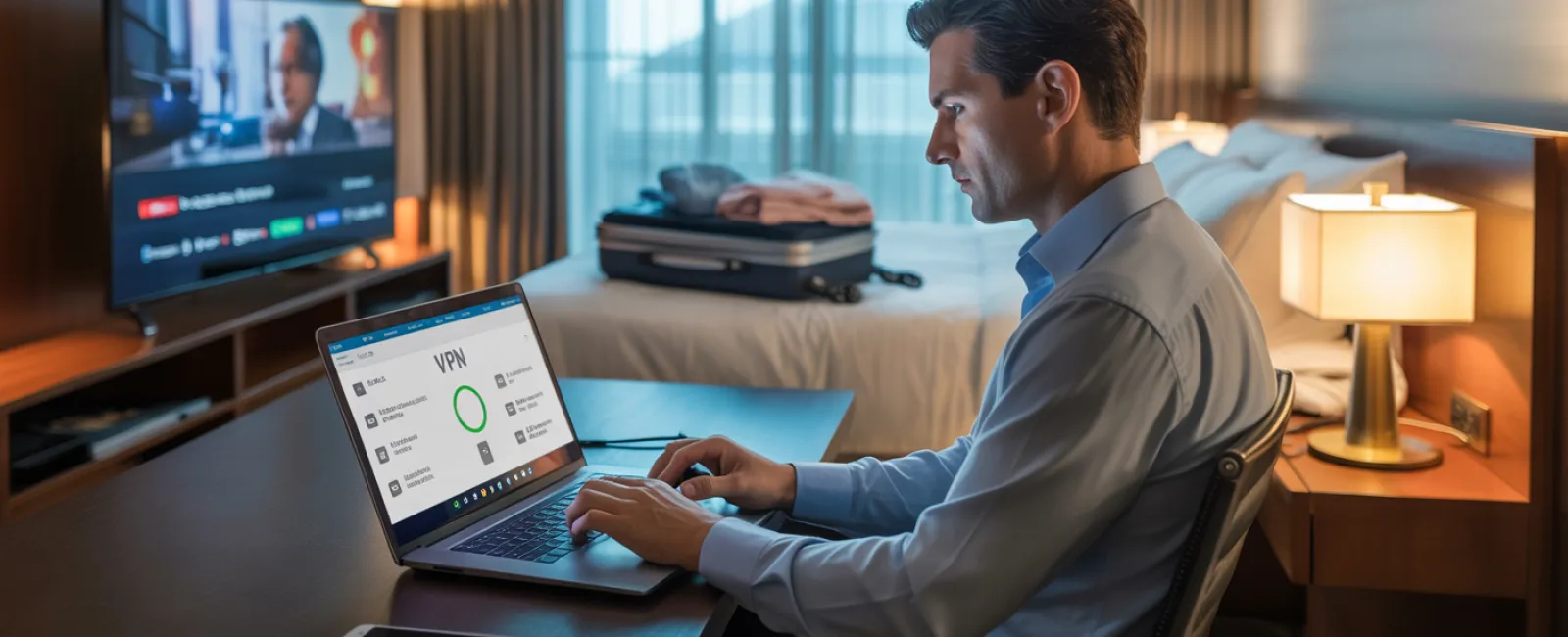
Use a VPN for work access—a virtual private network encrypts your data when checking emails or accessing company files.
For sensitive transactions, rely on your phone's hotspot instead of hotel WiFi.
Separate work from leisure activities: Allow your kids to stream cartoons on hotel WiFi, but do your business work via your personal hotspot.
The Dilemma: "Can I Use Your Laptop?"
Your work laptop contains vital access—to email, bank accounts, client documents, and business platforms. Meanwhile, your kids want to watch YouTube, game, or video chat with friends.
Why this matters: Kids may unintentionally download malware, click on harmful pop-ups, share passwords, or forget to log out. This innocent behavior poses major security risks on your work device.
Here's the answer:
Politely but firmly refuse access to your work computer—"This device is just for work, but here's another you can use." Set and enforce this boundary consistently.
If sharing is unavoidable:
- Create a restricted, separate user account
- Supervise their device activity
- Prevent downloads
- Avoid saving their passwords on your device
- Clear browsing history after use
A better alternative: Bring a designated family device for travel—this could be an older tablet or laptop disconnected from your work data.
Streaming on Hotel TVs: Don't Forget to Log Out
Your family streams Netflix on the hotel's smart TV. Someone signs in with your account and you forget to log out before checkout.
The risk: The next guest gains access to your Netflix account. If you reuse passwords (hopefully not!), other accounts could be compromised.
How to prevent it:
- Cast content from your own device to the TV—safer and simpler
- If logging in on the TV is necessary, set a phone alarm as a reminder to log out before leaving
- Even better: Download shows to your personal devices in advance to avoid using TV accounts altogether
Avoid logging into the following on hotel TVs:
- Banking apps
- Work-related accounts
- Email
- Social media
- Any accounts with stored payment details
Lost a Device? Here's Your Immediate Action Plan
Holiday travel is hectic; devices can easily be misplaced—in restaurants, hotel rooms, rental cars, or airport checkpoints. If your device disappears, act fast:
Within the first hour:
- Use "Find My Device" to track its location
- If recovery isn't possible, lock the device remotely
- From another device, change passwords on critical accounts
- Inform your IT team or Managed Service Provider to block company system access
- Notify affected parties if sensitive business data was stored on it
Pre-trip security must-haves for your device:
- Remote location tracking enabled
- Robust password protection
- Automatic data encryption
- Remote data wipe capability
Your family member lost their device? Follow the same security steps: lock it remotely, reset passwords, and locate it if possible.
Rental Car Data Risks:
Connecting your phone to a rental car's Bluetooth to play music or use navigation often transfers your contacts, call logs, and text previews to the car's system.
When you return the vehicle, this personal data often remains accessible to the next driver.
Quick 30-Second Checklist Before Returning the Car:
- Remove your phone from the car's Bluetooth devices
- Clear recent GPS destinations
- Or better, avoid connecting entirely—use an auxiliary cable or just play music from your phone
Work-Vacation Balance: Setting Boundaries
You promised quality family time but find yourself checking email 47 times, taking three work calls, and spending an hour on your laptop while the rest of the family enjoys mini-golf.
Switching constantly between work and holiday mode reduces focus on security. You become distracted, rush decisions, and might connect to risky networks or click unsafe links.
Here's a realistic approach: If unplugging fully isn't feasible, create strict boundaries:
- Limit work email checks to two scheduled times daily
- Use your phone's hotspot, not public or hotel WiFi, for work tasks
- Work from private hotel rooms—not public spaces where screens can be overlooked
- Be fully present during family moments—avoid multitasking
Ultimately, the best security measure is to take genuine time off. Your business won't crumble in a week, and your vigilance against threats grows stronger when you're rested.
Adopt a Smart Holiday Travel Security Mindset
The truth: Mixing work and family during holiday travel is messy and imperfect. Sometimes your child genuinely needs to use your laptop, and sometimes an urgent email must be handled mid-drive.
Instead of striving for flawlessness, embrace intentional risk management:
- Secure and prepare all devices before departure
- Know which actions carry high risk (like banking on hotel WiFi) versus low risk (using your hotspot for email)
- Implement clear barriers between work data and family use wherever possible
- Have a response plan ready if anything goes wrong
- And most importantly—know when to firmly say, "Not on this device," and stick to it
Make This Holiday Your Best Yet—For the Right Reasons
The holidays are about cherishing time with loved ones—not handling data breaches or apologizing to clients for compromised information.
With just a bit of pre-trip preparation and simple guidelines, you can safeguard your business and ensure your family enjoys a worry-free vacation. Everyone benefits—your loved ones get quality holiday moments, and your business stays protected.
Need assistance designing travel security strategies for your team and yourself? Click here or call us at (949) 537-2909 to schedule a free 10-Minute Discovery Call. We'll help you build practical yet effective policies that shield your business without complicating travel.
Because the best holiday memory shouldn't be "Remember when Dad's laptop got hacked?"


